Why modernizations fail
The Cost of Standing Still.
The Migration Nobody Wants to Own
Your data warehouse runs on SQL Server 2014 on-premises. Or Azure Synapse that felt like the right choice three years ago. Or Azure Analysis Services that Microsoft is clearly de-prioritizing.
What's Missing
- Clear migration path
- Confidence in avoiding disruption
- Modern data governance
Everyone agrees Fabric is the future. But the migration project has been "next quarter" for years because the risk feels too high.
Hidden Dependencies Everywhere
That legacy warehouse has 200+ Power BI reports pointing at it. Stored procedures that call other stored procedures. SSIS packages someone built in 2016.
The Symptoms
- Undocumented logic
- Spaghetti ADF pipelines
- Logic Apps chained blindly
You can't migrate until you map everything — and mapping everything manually feels impossible.
The Business Can't Pause
Finance can't wait. Monthly close happens. Power BI dashboards need to keep refreshing. You need to switch engines while the plane is flying.
The Root Cause
- Lack of dual-write strategy
- Cost constraints on Azure
- Rigid business cycles
A "big bang" migration over a weekend isn't realistic. But running parallel systems for months creates its own complexity and Azure cost.
[ DELIVERABLES ]
Complete Modernization.
We don't just lift and shift. We architect, migrate, and validate every piece of your data estate to ensure a stable future on Microsoft Fabric.
Full Inventory
Migration Assessment
Complete inventory: tables, stored procedures, ADF pipelines, SSIS packages, Power BI reports, and downstream consumers. Nothing left behind.
Future State
Target Architecture
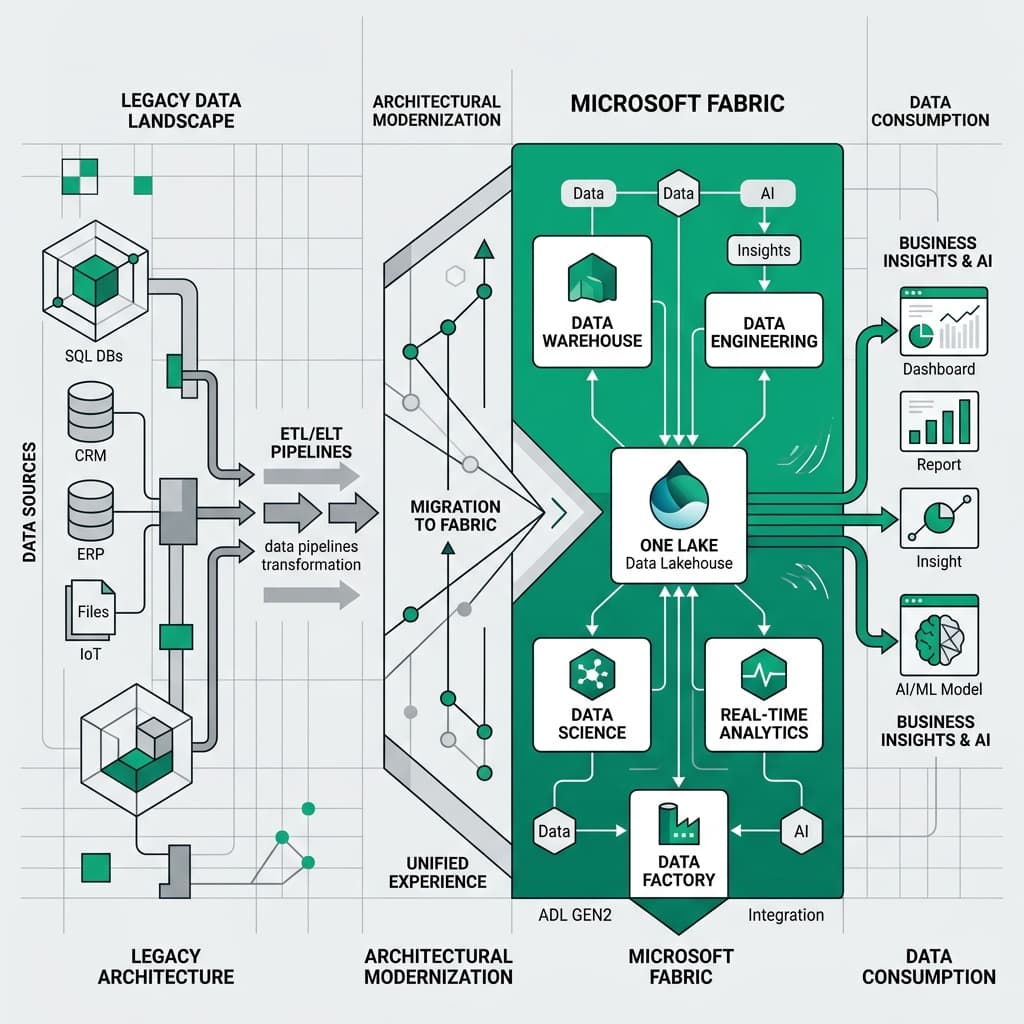
Lakehouse design with medallion architecture, workspace structure, security model, and integration patterns mapped to Microsoft Fabric.
Step-by-Step
Phased Migration Plan
Balanced plan with cutover criteria, rollback procedures, and parallel running strategy. We migrate in waves to eliminate risk.
Deployment
Migrated Fabric Platform
Your data migrated to Fabric Lakehouse with proper architecture, Purview governance, and documentation. Ready for Copilot and AI.
No Surprises
Validated Migration
Automated reconciliation between legacy and Fabric. We don't declare success until the numbers match perfectly.
Our process
Methodical, phased delivery — Zero business disruption.
Assessment & Planning
Inventory source systems, map dependencies, assess data quality. Design target Fabric architecture.
Fabric Platform Build
Configure Fabric capacity, build Lakehouse with medallion architecture, set up workspaces and security.
Iterative Migration
Migrate data in waves. Each wave: migrate → validate → parallel run → cutover. No wave starts until prior wave is stable.
Cutover & Decommission
Final cutover, decommission legacy, transition support. Legacy turned off only after success criteria met.
From AAS to Fabric
AAS Modernization
Technology & SaaS Industry
Business Impact
Improvement in refresh performance
Elimination of manual scaling runbooks
Reports migrated without breaking changes
Situation
A software company relied on Azure Analysis Services (AAS) for enterprise data modeling. But AAS was showing its age: no autoscaling, frequent refresh failures, complex disaster recovery, and increasing disconnect from Power BI Premium features. Leadership wanted to modernize to Microsoft Fabric.
What We Found
- 12 AAS models serving 85+ Power BI reports
- Complex DAX measures that needed preservation
- No documentation of refresh dependencies
- Two previous migration attempts had failed
What We Built
- Fabric workspace structure mirroring AAS model organization
- Migration using Power BI Service's AAS migration tool
- XMLA endpoint configuration for backward compatibility
- CI/CD pipeline with Azure DevOps for ongoing deployments
Outcome
Migration completed in 8 weeks with zero business disruption. Autoscaling now handles peak loads automatically. Refresh failures dropped from weekly to zero. BI team can now leverage Power BI deployment pipelines and Fabric notebooks for advanced analysis.
Know
Before
You Go
Clear answers to common questions about our modernization methodology and capabilities.
3 KEY QUESTIONS
Everything you need to know.